Built-in and Custom Agents
7 min
Overview
Agents let you define AI agents tailored to your workflows and connect them to external tools via MCP servers such as GitHub, Azure DevOps and more. The custom agents appear alongside built‑in agents on the Agents page so your teams can use them across clusters.
Built-in agents
- Navigate to Agents in the left sidebar -> https://app.kubegrade.com/agents
- Select an agent in the Built-in Agents section to customize them.
- Fill out the Custom Instructions field if you want to further customize the agent
- Example Assistant agent
Accessing custom agents
- Navigate to Agents in the left sidebar -> https://app.kubegrade.com/agents
- Use the Create Agent field to start a new custom agent or select an existing one to edit. -> https://app.kubegrade.com/agents/create
- Built‑in agents can be customised (prompt and MCP configuration) without affecting future Kubegrade updates to the base product.
Agent configuration
Each custom agent has three main configuration areas:
- Overview
- Agent name: Human‑readable name shown to users in the Agents list.
- Description: Short explanation of what this agent does and when to use it.
- Instructions (Agent Prompt)
- The agent prompt defines the default behaviour and tone of the agent.
- Click Build Prompt to open the prompt builder.
- Enter a high‑level description of what the agent should do.
- Click on the button with the arrows to generate a suggested prompt.
- You can edit the prompt text directly at any time.
- Click Insert to insert the suggested prompt in the Agent Prompt field as instructions for the agent.
- MCP Servers
- MCP servers connect the agent to external systems (for example GitHub, Azure DevOps and more).
- An agent can have zero, one, or multiple MCP servers enabled given they are complementary (e.g. only one GitOps connection at a time).
- MCP settings apply only to the selected agent and do not affect other agents.
Working with MCP Servers
Custom Agent MCP Servers: go to https://app.kubegrade.com/agents to customise built‑in agents or create, edit, and delete custom agents. When creating or editing a custom agent, you can connect MCP servers.
Adding an MCP server
- In the agent editor, scroll to the MCP Servers section.
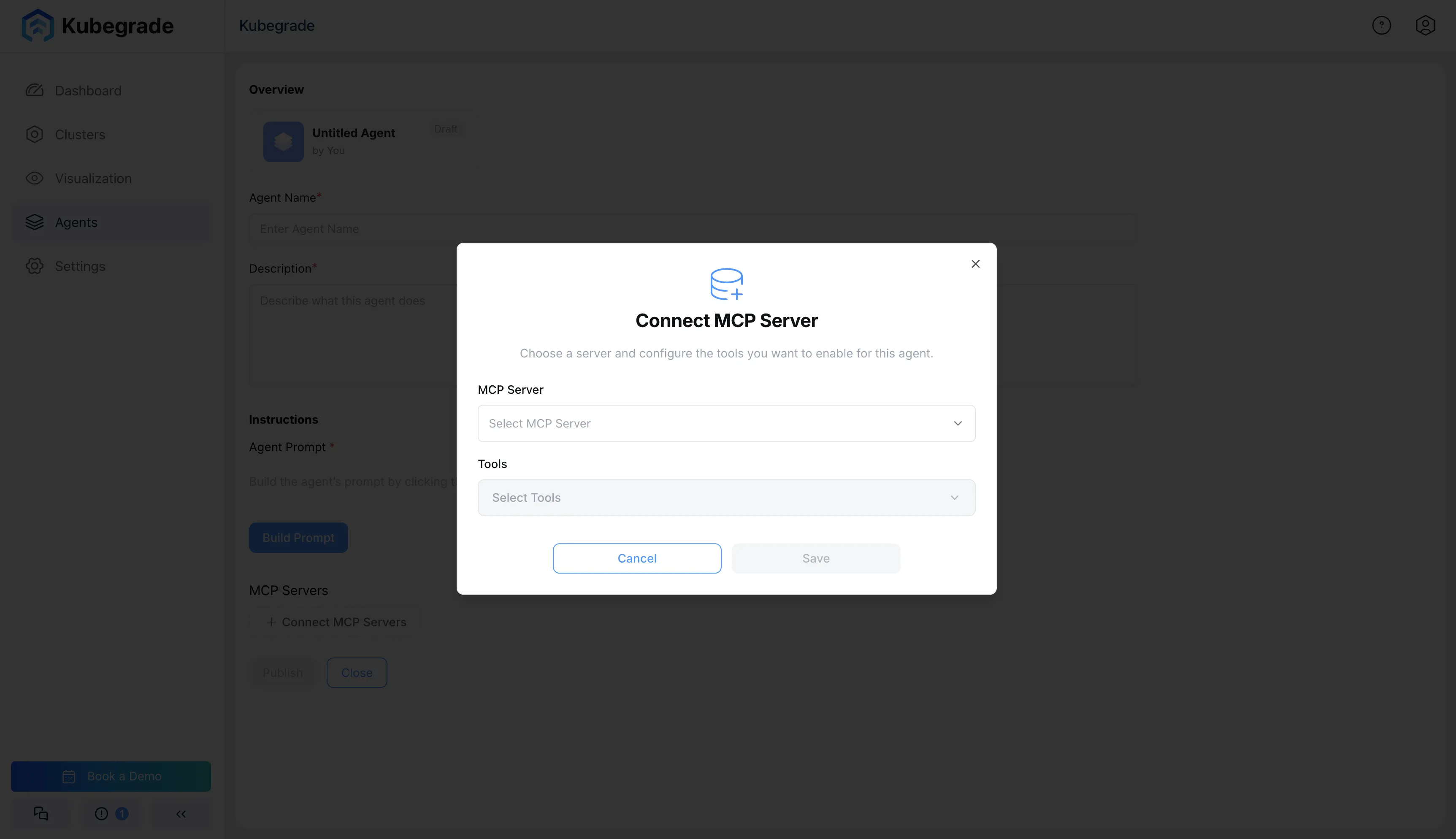
- Click + Connect MCP Servers.
- In the Connect MCP Server dialog, choose an MCP server type from the dropdown (for example Github or Azure DevOps).
- Configure authentication for the selected server by entering the requested information and clicking Connect.
- Select which tools from that MCP server should be available to this agent.
- Click Save to persist the configuration.
Example: GitHub MCP server
When you choose Github as the MCP server
- Enter a Personal Access Token (PAT) with the scopes needed for the tools you plan to use (for example repository read or read/write for PR workflows).
- Click Connect so Kubegrade can validate the token and load the available tools.
- Under Tools, choose one or more tools (for example Git repository access or PR helpers) that the agent will be allowed to call.
- Save the agent to make the GitHub integration active.
Publishing and managing agents
- Draft vs published
- New agents start as drafts and are only visible in the editor.
- Click Publish to make the agent available to users in the Agents view and dropdown selection in the agent chats.
- Editing and versioning
- You can update the name, description, prompt, or MCP servers of an existing agent at any time.
- Changes to a published agent take effect immediately for all future conversations that use that agent.
- Deleting agents
- From the Agents list, open the menu for an agent and choose Delete to remove it.
- Deletion does not affect any GitHub or Azure DevOps resources; it only removes the configuration inside Kubegrade.